



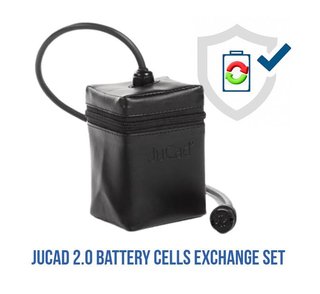
JuCad
JuCad 2.0 Powerpack replace kit system no control-unit for self-mount incl. small battery cells case and cover
In stock 1pcs
450 €
386 €
- Free shipping over 99 € Delivery in 2–7 working days
- You can return the goods within 100 days Risk-free shopping, we stand behind our products
- Authorised dealer 100% genuine goods straight from the manufacturer

JuCad Charger for JuCad Powerpack 100/240V, Standard plug

Description
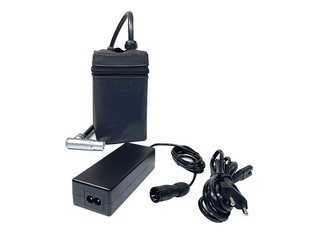
JuCad Charger for JuCad Powerpack 100/240V, Standard plug
Charge your JuCad Powerpack battery reliably and safely with the original JuCad charger. Engineered specifically for the JuCad Powerpack system, this charger delivers maximum energy to your battery, keeps it in a safe operating condition, and ensures full performance is always available. Compact and easy to handle, this charger is designed to be a permanent companion for your JuCad electric trolley setup. Please note: the Powerpack battery is not included in delivery.
The charger is precisely matched to the JuCad Powerpack system and, for safety reasons, must only be used with genuine JuCad accumulators. Using any other charger with your JuCad Powerpack — or using this charger with non-JuCad batteries — is not permitted and may result in damage or safety hazards.
Key Features
- Wide Voltage Compatibility: Operates on 100–240 V AC mains power, making it suitable for use across all major global electricity standards.
- Standard Plug (Binder Connector): Features the classic JuCad Standard Plug (Binder connector) interface for secure, correctly-oriented connection to the Powerpack.
- Automatic Charging Stop: The charging process stops automatically once the Powerpack is fully charged, preventing overcharging and protecting battery longevity.
- Standby Mode: After full charge is reached, the charger transitions into standby mode, allowing it to remain safely connected to the Powerpack indefinitely.
- LED Status Indicator: A multi-colour indicator light clearly communicates the current charging state — charging, nearly full, fully charged, error, or no battery connected.
- Colour-Coded Connection: The plug and socket are keyed to fit in only one position, with a colour marking to guide correct insertion — simply push in, do not twist.
- Compact and Practical: The small, lightweight form factor makes the charger easy to store and transport alongside your JuCad golf trolley equipment.
- JuCad Exclusive Compatibility: Designed exclusively for JuCad Powerpack accumulators to ensure safe and optimal charging at all times.
Technology in Detail
Standard Plug (Binder Connector) Interface
The JuCad charger uses the Standard Plug — also known as the Binder connector — which is the factory-fitted connection type on the JuCad Powerpack. The plug and socket are designed to mate in only one orientation, guided by a clear colour marking on both components. Simply push the plug straight into the socket; it must never be twisted or forced. This keyed design eliminates the risk of incorrect connection, protecting both the charger and the Powerpack from damage caused by reversed polarity or misaligned contacts.
Universal 100–240 V Power Input
The charger accepts a wide AC input voltage range of 100–240 V, covering the standard mains voltage found in virtually all countries worldwide. Whether you are charging at home, at a golf club, or while travelling internationally, you simply need to connect the charger to a standard wall socket and the charging process begins automatically. No manual voltage switching is required, making this charger genuinely universal and travel-ready.
Intelligent LED Status Indicator
A built-in multi-colour LED indicator keeps you informed of the charging status at a glance, eliminating any guesswork about whether your Powerpack is ready for the course. The indicator communicates five distinct states: a steady yellow light means the battery is actively charging; a blinking yellow light signals the battery is nearly full; a steady green light confirms the battery is fully charged and the charger has entered standby mode; a blinking red light indicates a battery error (in which case you should disconnect the mains plug and restart the charging process); and a blinking green light signals that no battery is connected to the charger.
Automatic Cut-Off and Overcharge Protection
Once the JuCad Powerpack reaches full charge, the charger automatically stops the charging process and switches into standby mode. This intelligent automatic cut-off means the charger can safely remain connected to the Powerpack for extended periods — even overnight — without any risk of overcharging or damaging the lithium battery cells. Leaving the charger connected after a full charge is perfectly safe and is, in fact, a convenient way to ensure your Powerpack is always ready when you head to the course.
Purpose-Built for JuCad Powerpack Systems
This charger has been specially developed and precisely calibrated for use with the JuCad Powerpack accumulator system. For safety and performance reasons, it must only be used with genuine JuCad Powerpack batteries. Using the charger with other battery types or brands is not recommended and could result in improper charging, battery damage, or safety risks. The charger's output characteristics are tuned to the specific chemistry and capacity of the JuCad lithium battery, ensuring optimal charge cycles and maximum battery lifespan.
Technical Specifications — Charging Process
| Parameter | Detail |
|---|---|
| Mains Input Voltage | 100–240 V AC |
| Plug Type | Standard Plug (Binder connector) |
| Compatible Battery | JuCad Powerpack (Li-Ion) |
| LED Indicator — Steady Yellow | Battery charging |
| LED Indicator — Blinking Yellow | Battery almost full |
| LED Indicator — Steady Green | Battery fully charged (charger in standby) |
| LED Indicator — Blinking Red | Battery error — disconnect and restart charging |
| LED Indicator — Blinking Green | No battery connected |
| Overcharge Protection | Yes — automatic charging cut-off when full |
| Permanent Connection | Safe — charger may remain connected after full charge |
| Colour | Black |
Charging Process — Step by Step
Connect the cable from the charger to the socket on the Powerpack (battery). The plug and socket fit together in only one position — pay close attention to the colour marking on both components to align them correctly. The plug must only be inserted straight; it must not be rotated or twisted.
Once the cable is connected to the Powerpack, plug the charger's mains plug into a wall socket (100–240 V). The charging process will begin immediately. Monitor the LED indicator light to track the charging status. When the indicator turns steady green, the Powerpack is fully charged and the charger has automatically entered standby mode. The charger can remain connected to the Powerpack at all times — there is no risk of overcharging.
Important: The JuCad Powerpack battery is not included in the delivery of this charger. This charger is compatible exclusively with JuCad Powerpack accumulators and must not be used with any other battery type.
Specifications
| Brand | |
|---|---|
| Colour | Black |
| Accessory Type | Chargers |
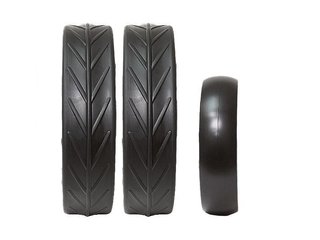
JuCad
JuCad Complete Wheel Set (3) for PHANTOM TITAN electric trolleys (rims and tires), titanium
In stock 1pcs
599 €
539 €
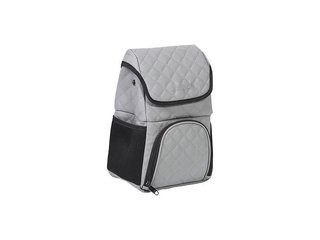
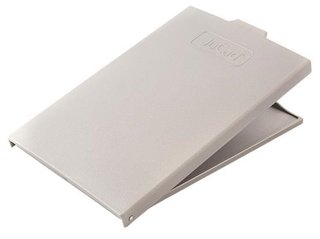



JuCad
JuCad Elastic Band for bag support (2PC) for Titanium/Stainless Steel Caddys, black
In stock 2pcs
29 €
Ask us
We will reply to your question by the next business day at the latest.
JuCad Charger for JuCad Powerpack 100/240V, Standard plug